Newsletter
Join the Community
Subscribe to our newsletter for the latest news and updates
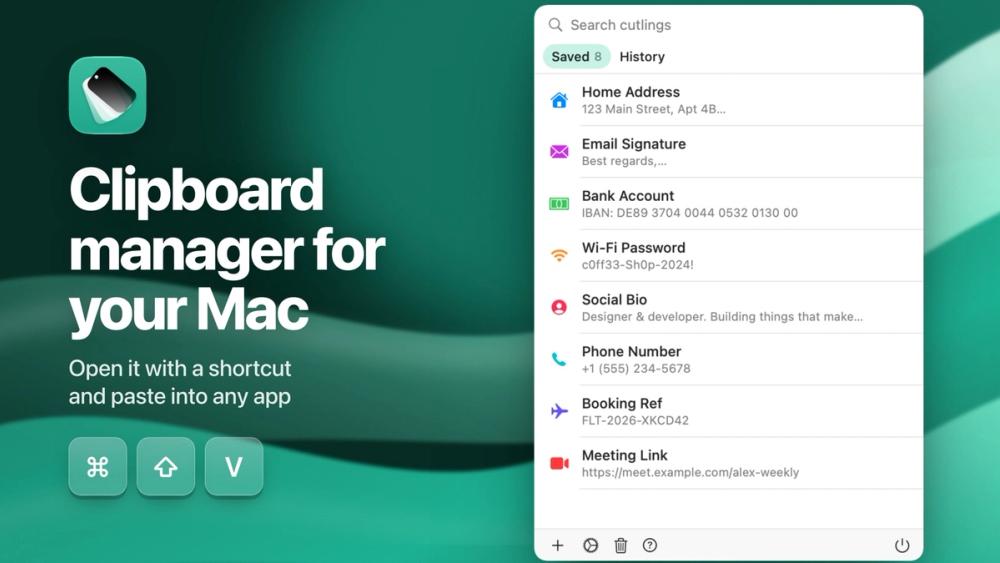
Paste text snippets and replies from a keyboard on iPhone and iPad, or a menu bar picker on the Mac. Keep your address, account numbers, email signature and canned replies in one place.

Open-source desktop AI assistant for 70+ models
Keep your address, account numbers, email signature and canned replies in one place, then tap to paste them into any app from the Cutling keyboard.
Open Cutling. Create your snippets. Enable the keyboard. When you need to fill in your address or share account details, switch to the Cutling keyboard and tap the snippet.
On the Mac, Cutling sits in the menu bar and Shift-Command-V opens a picker at your cursor. Its clipboard history skips anything a password manager marks as concealed, so copied passwords never land in it.
No account required. No ads. No tracking.
One purchase covers iPhone, iPad and Mac. The code is open source under GPL-3.0.